01 / WATCH LIST
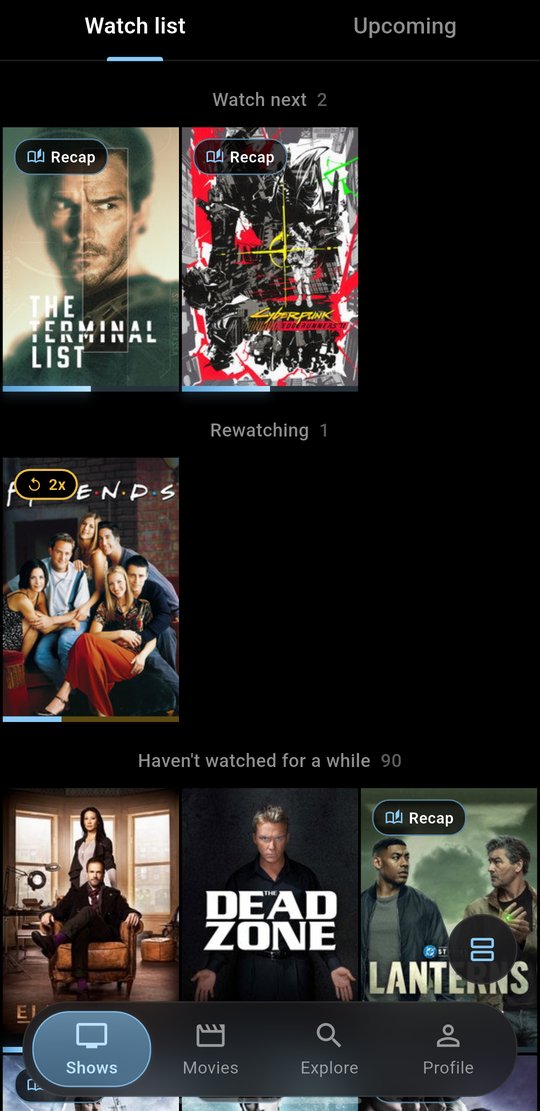
Up next, always.
The next episode of every show you follow, with your progress, and the shows you have drifted away from below.
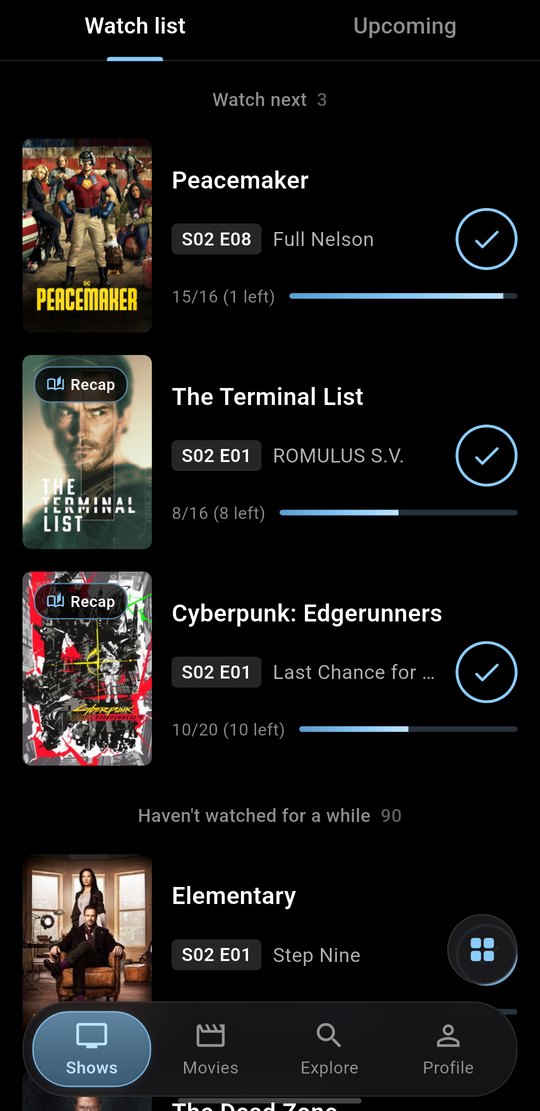

TvTick is a free app for keeping track of the TV shows and movies you watch: see what airs next, and pick up exactly where you left off.
TvTick is a watch list that stays out of your way. Quick to tick off, *honest* about what is next, and *private* when you want it.
Take the tour
The next episode of every show you follow, with your progress, and the shows you have drifted away from below.
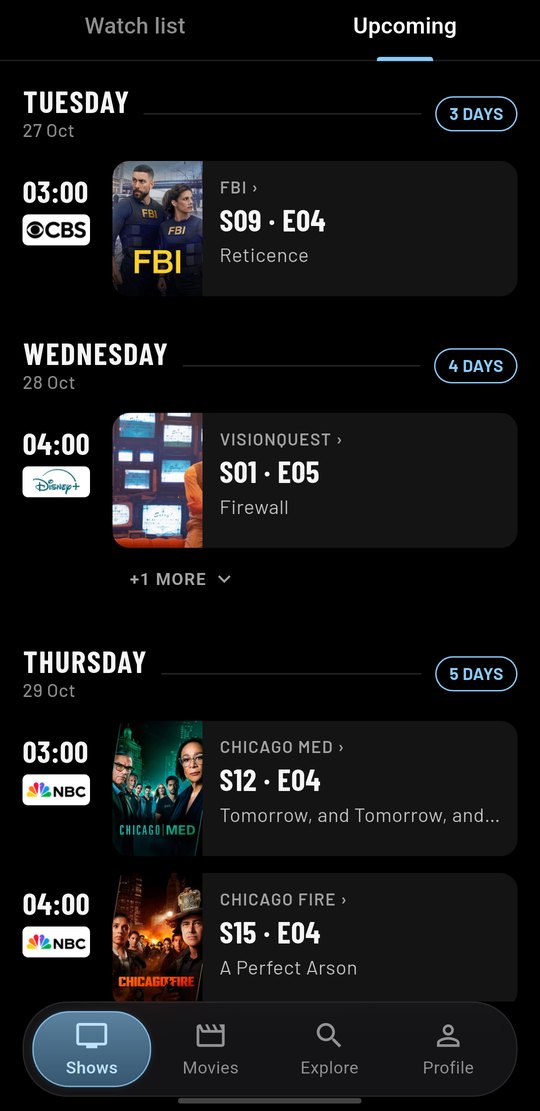
The day, the time and where it airs, for everything you follow, with the last two weeks kept above Today. A quiet notification once an episode has actually aired, at the right time where you live.
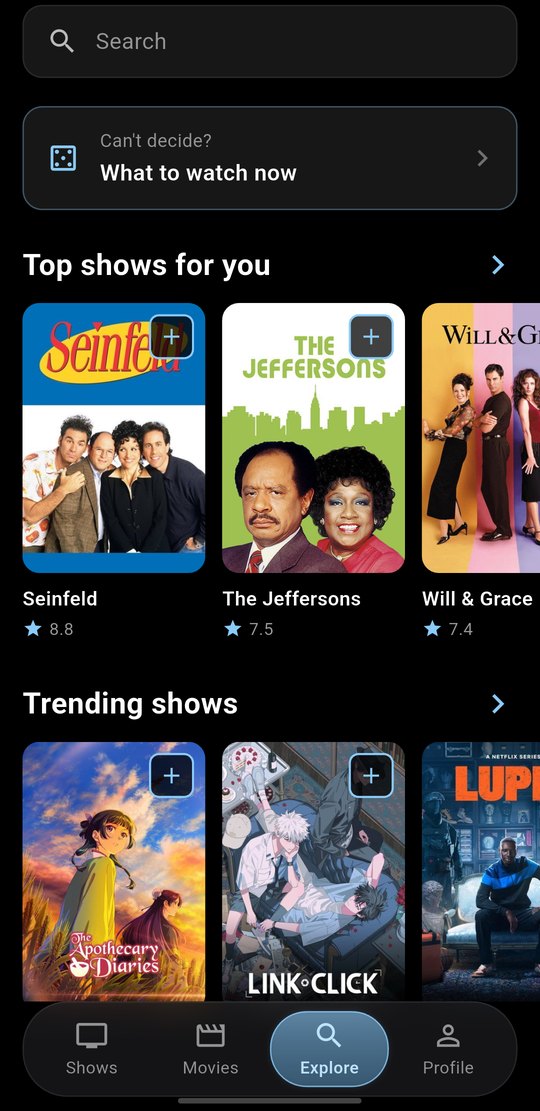
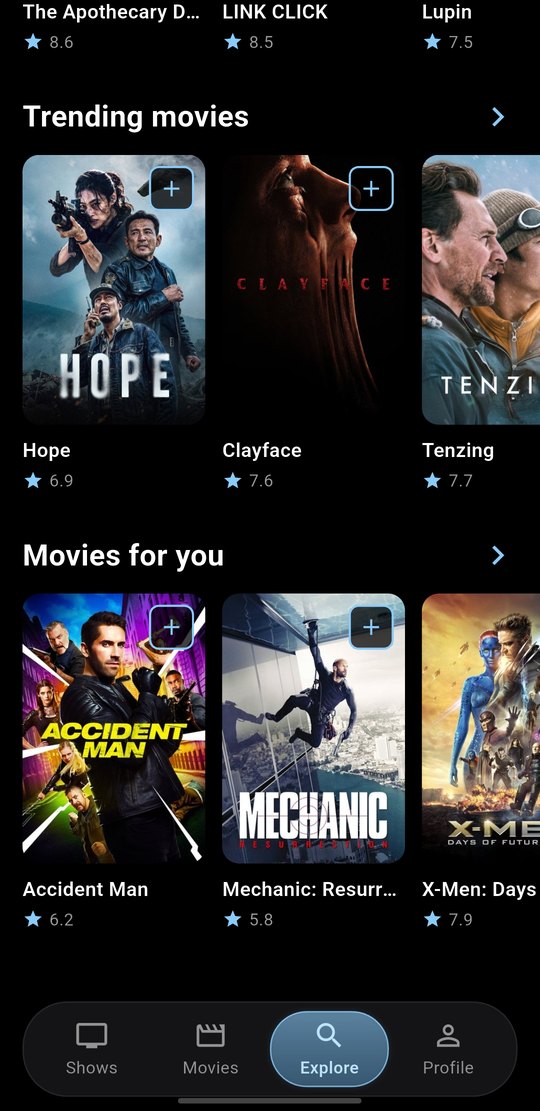
Top shows picked for you and what is trending this week, with ratings, one tap to add, and help deciding what to watch now.
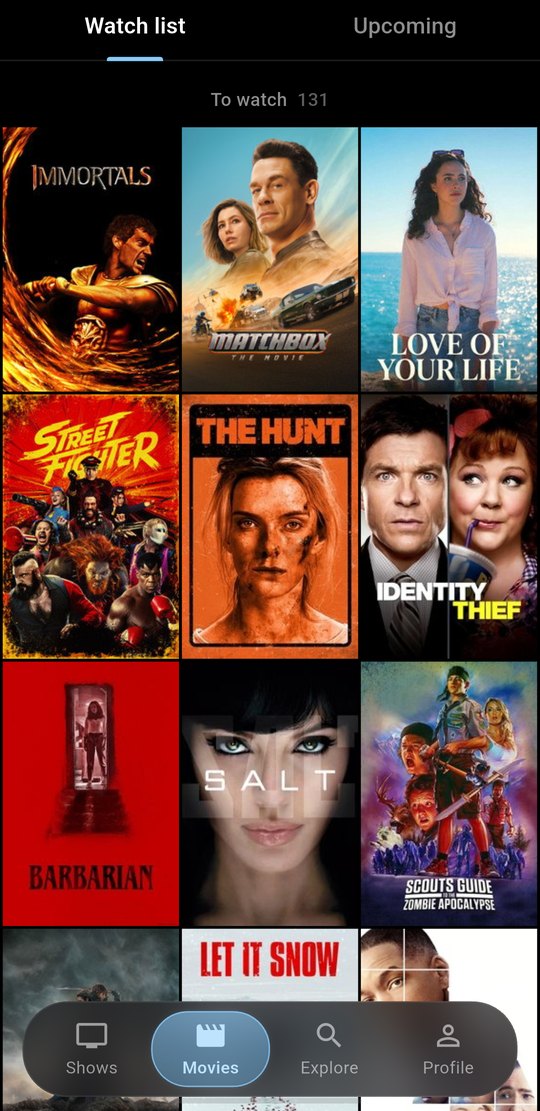
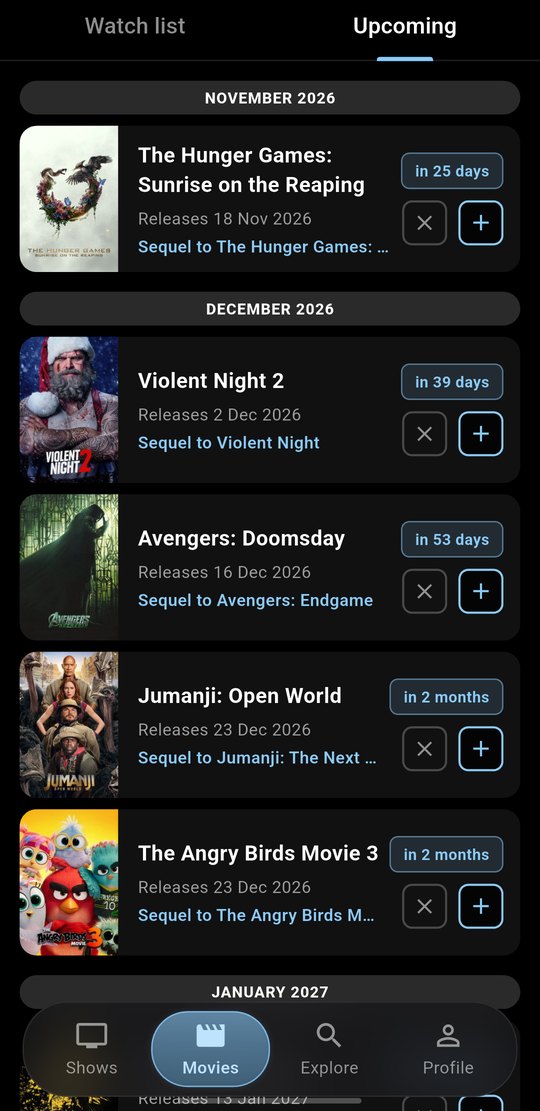
A wall of movies to watch, upcoming releases with a countdown, and sequels to films you have seen.
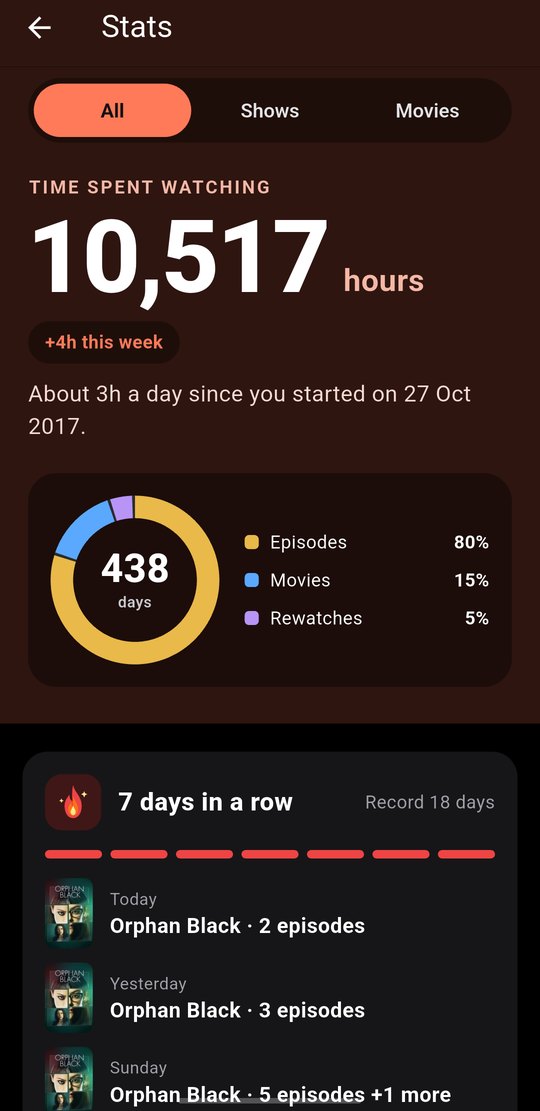
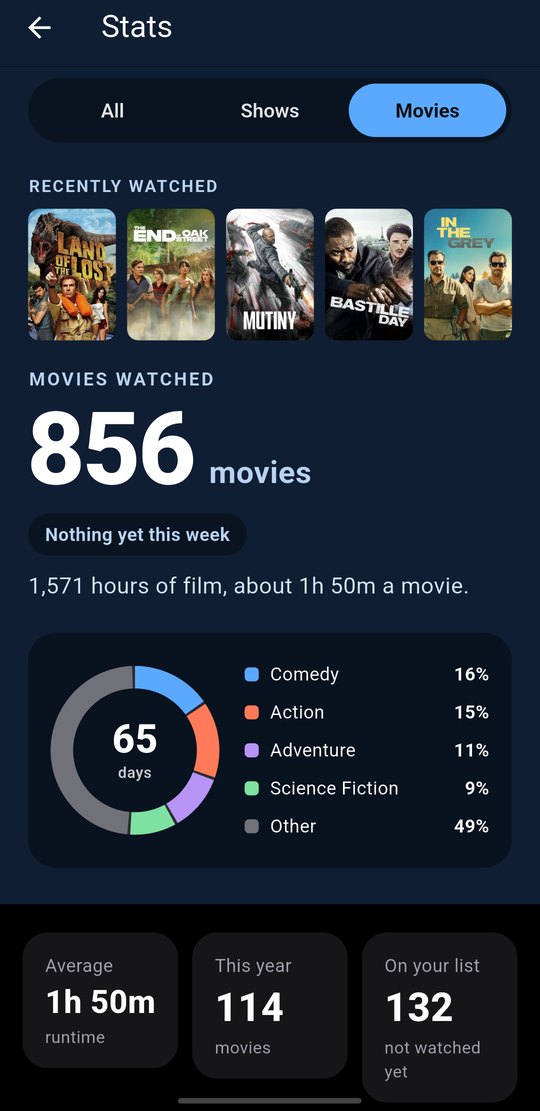
All, Shows and Movies tabs: hours watched, a watch calendar, a streak flame that grows the longer you keep it, your biggest binge, and badges for what you have watched.
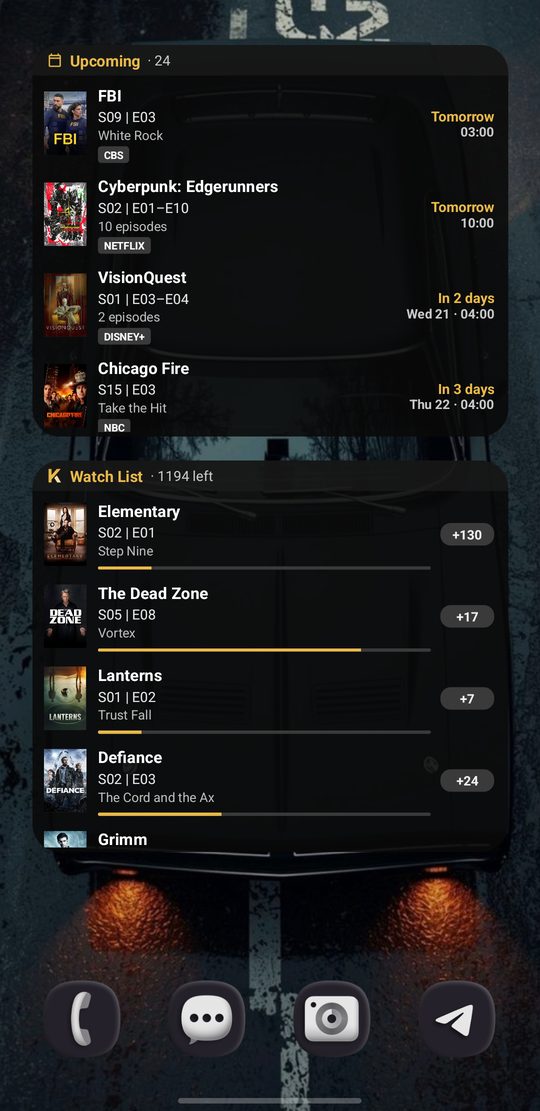
Airing soon and your next episodes, on your Android home screen, with the wallpaper showing through.
What makes TvTick different
A watch list is the start. These are the parts we built because we wanted them ourselves.
Each show and movie page takes its colour from its own picture: the header, the buttons, the ticks and the progress all match it.
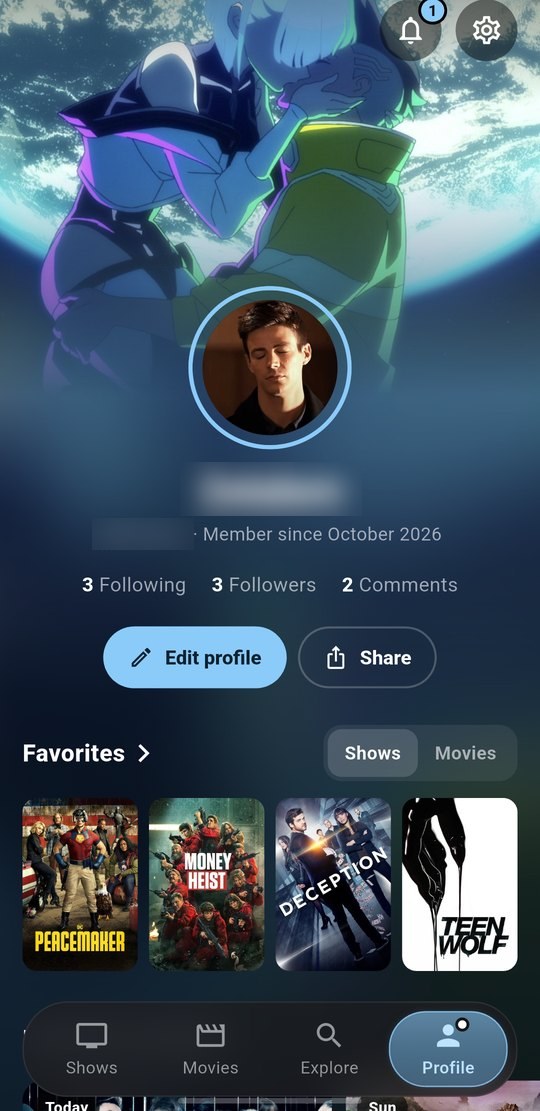
The rest of the app takes its colour from the picture at the top of your profile. Pick a new one and the whole app changes with it.
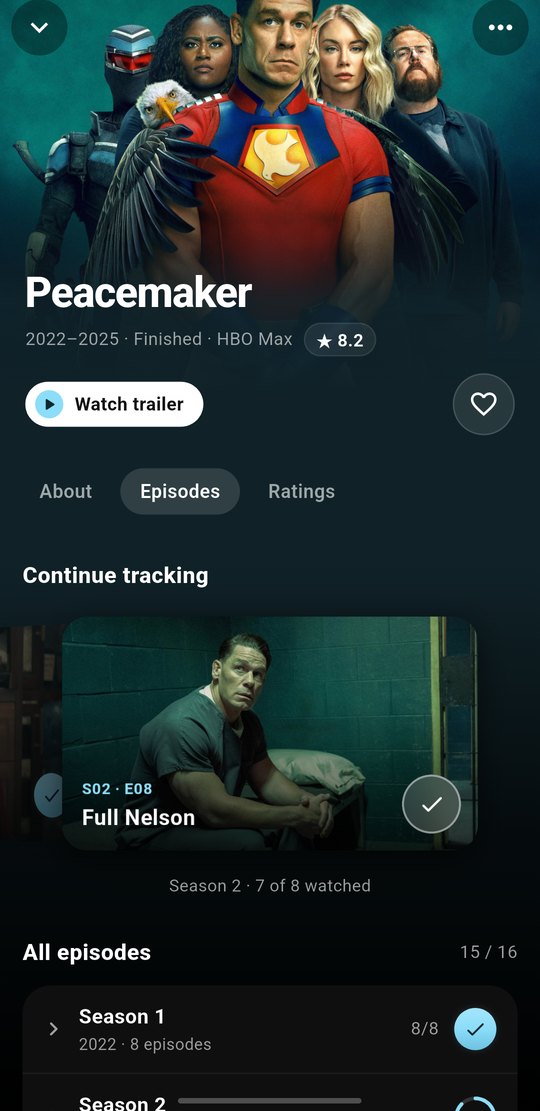
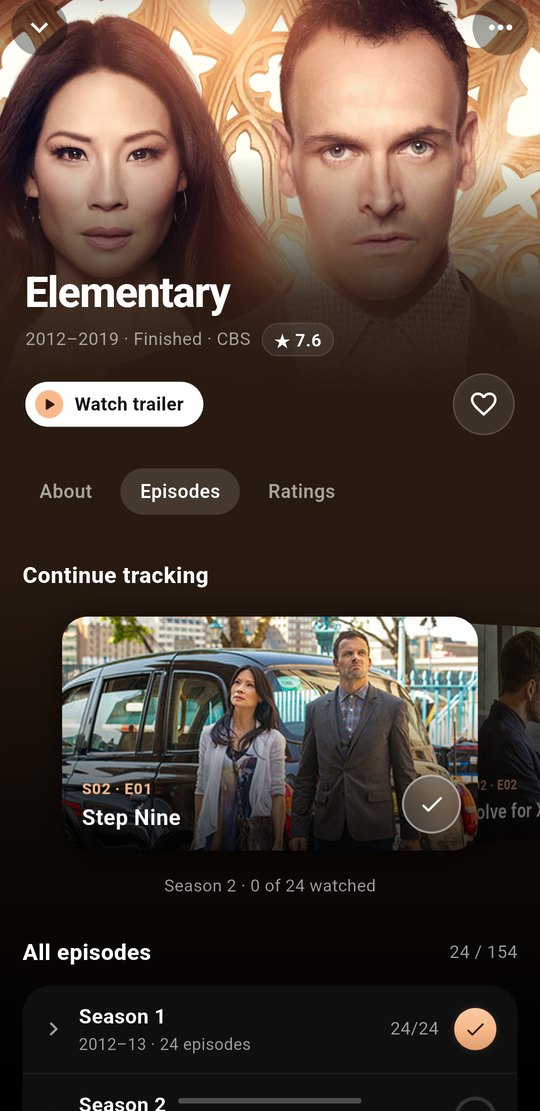
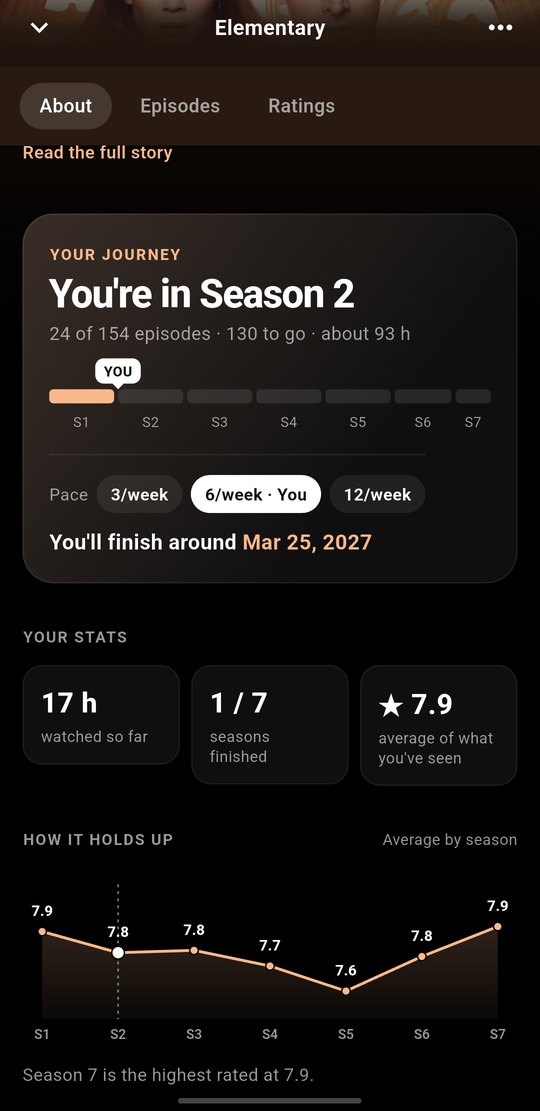
Every show tells you which season you are in, how much is left and the day you will finish at your pace, or at a faster one.
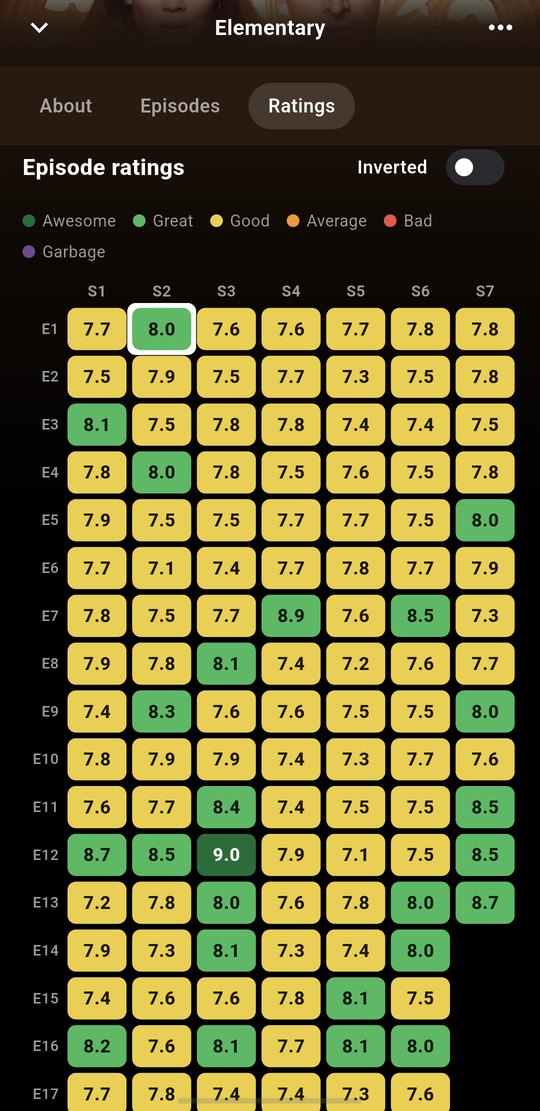
The Ratings tab puts every episode's rating in one coloured grid, season by season, so the great runs and the weak ones jump out.
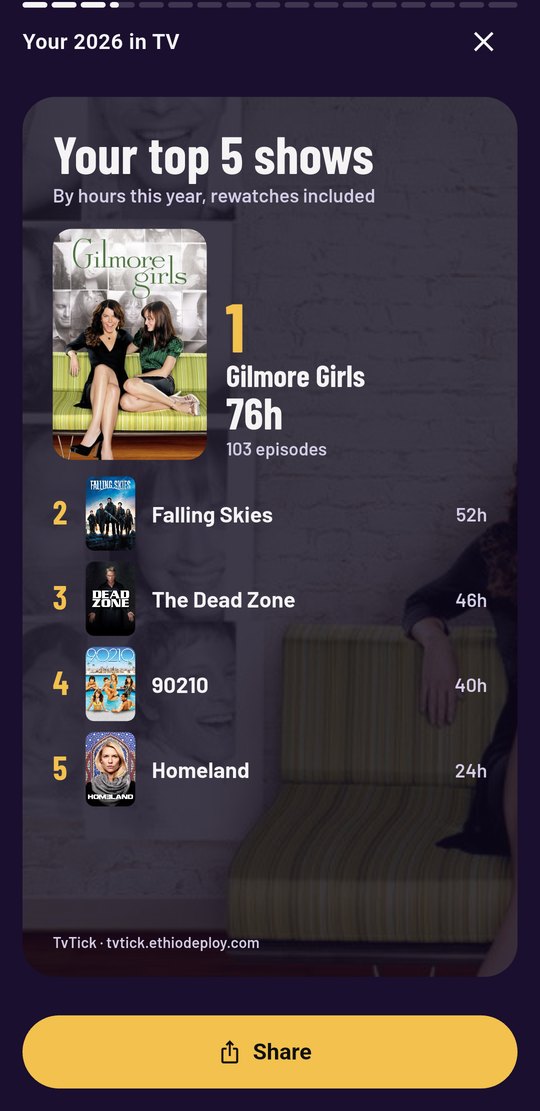
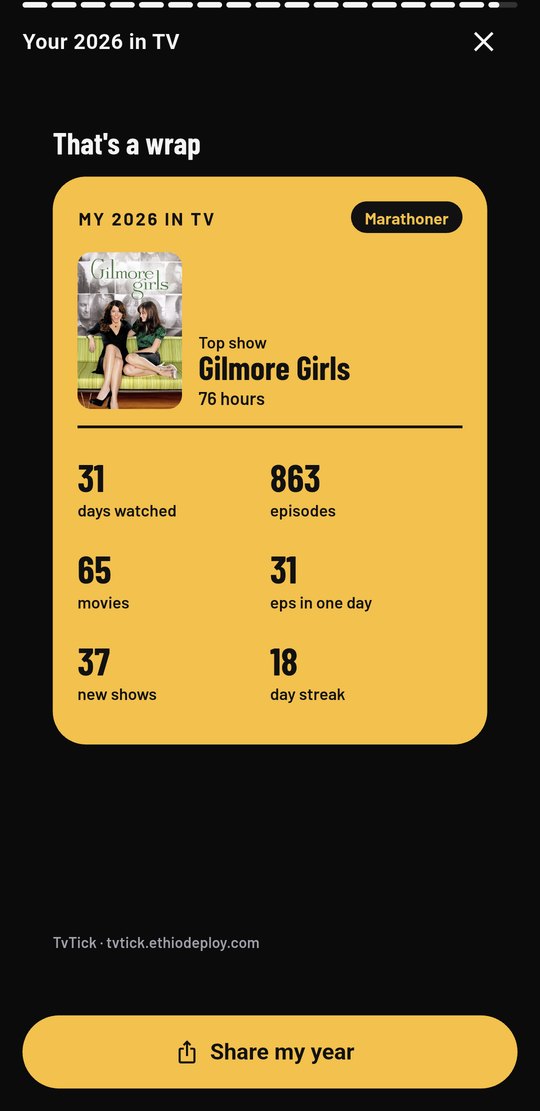
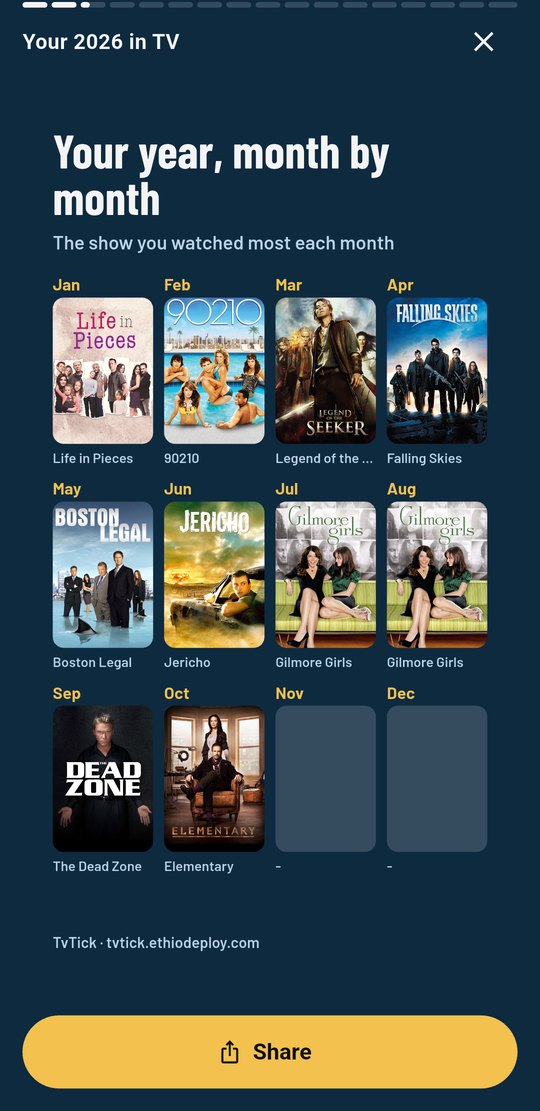
Every December 1, TvTick looks back on your year: the hours, your top shows, the day you could not stop, when you watch, your TV age and the kind of watcher you are.
Tap through it like a story and share any slide, or the card with all of it. Free for everyone.
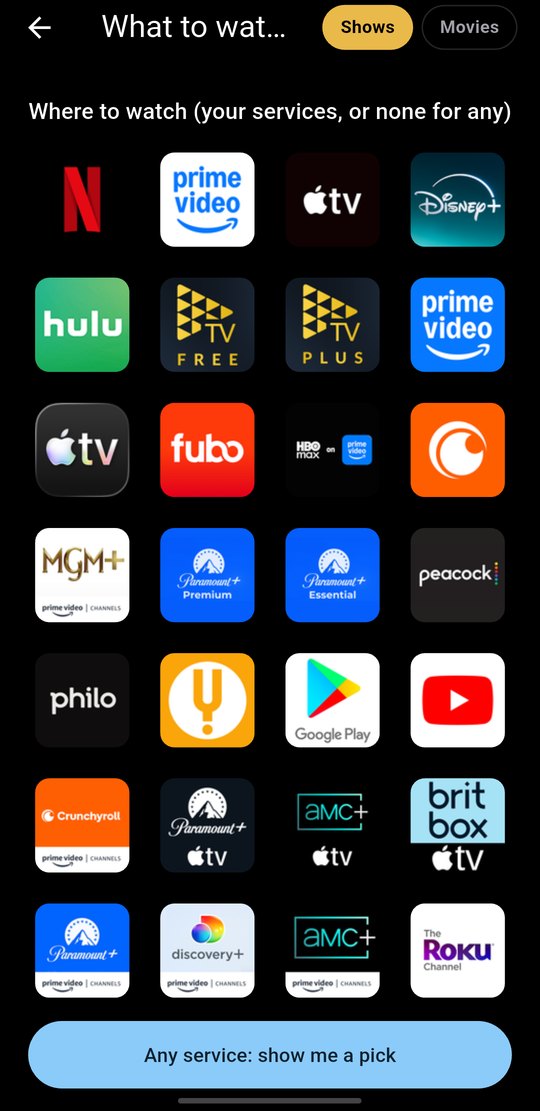
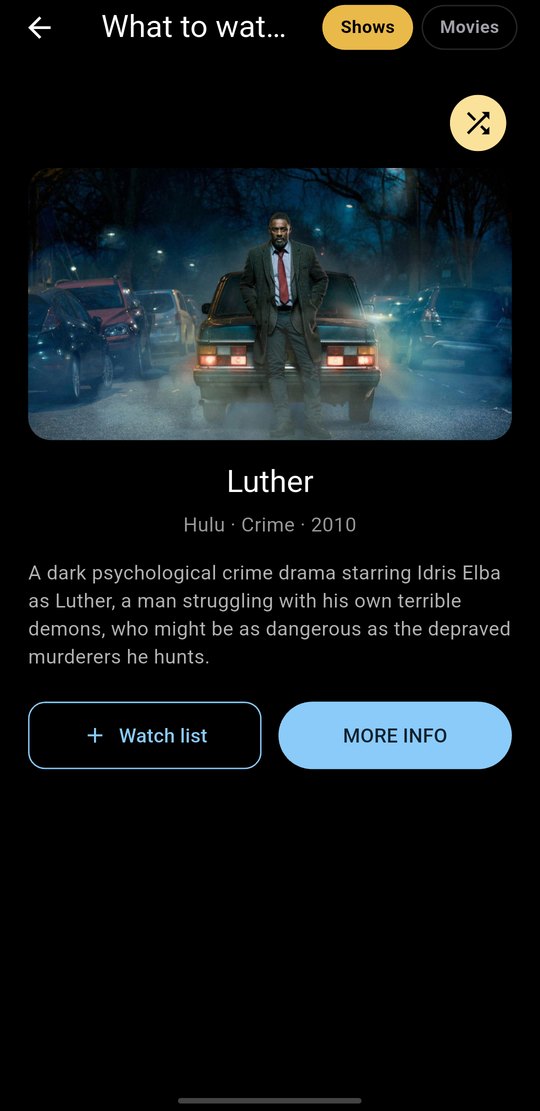
Pick the genres, the years and the streaming services you have, and TvTick suggests one show or movie at a time. Not feeling it? Shuffle for another.
It leaves out what you have already seen, and can pick from your own watch list instead.
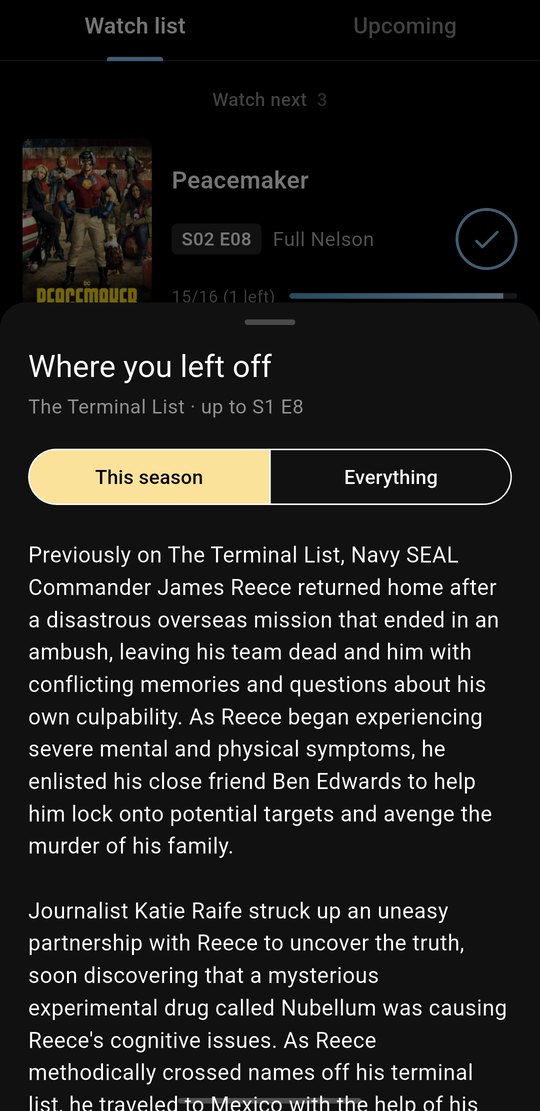
Been away from a show for a while? TvTick offers a recap of this season, the last one, or the whole story so far.
It is written up to your last episode and stops there, so the next one is still a surprise.
Tick an episode or a whole season in one tap, or long-press to pick the day you watched.
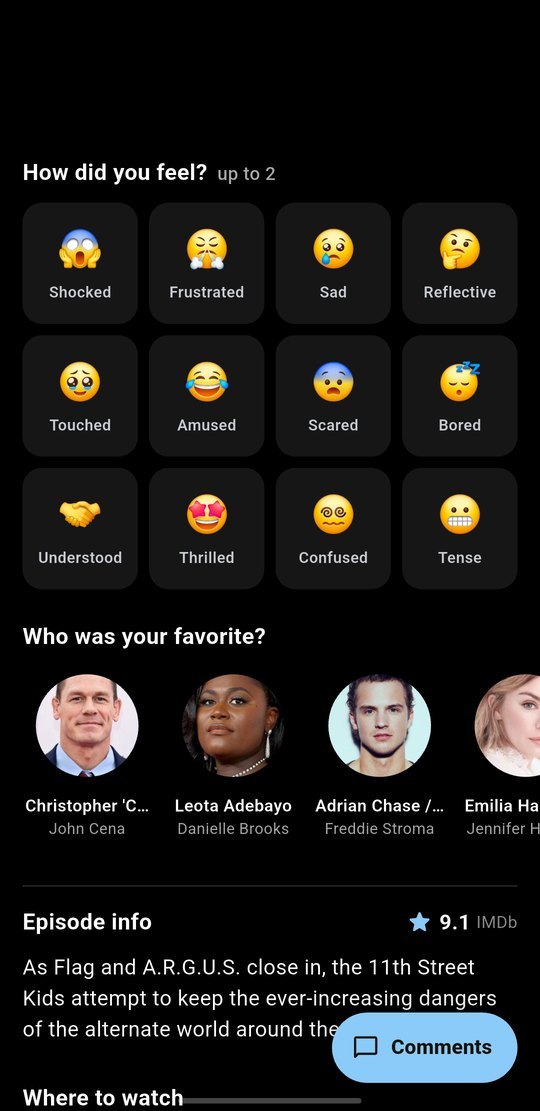
Once it is ticked, say how it felt and who was your favorite, and see how everyone else felt about it.
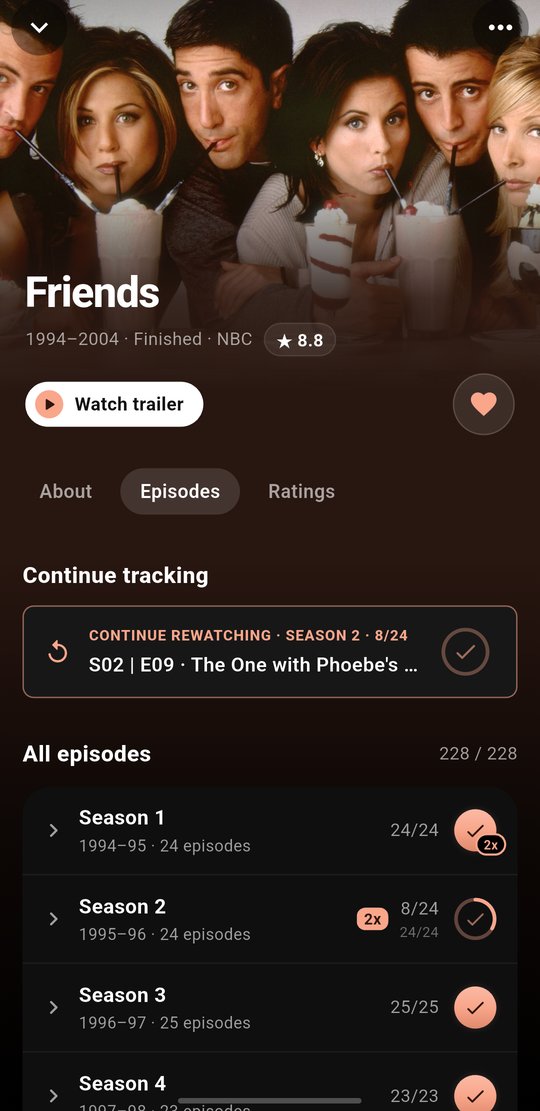
Rewatch a season, or the whole show season by season, and TvTick keeps your place in the rewatch apart from your first time through.
Every episode keeps its count, 2x, 3x, with the date of each watch, and the hours go into your stats.
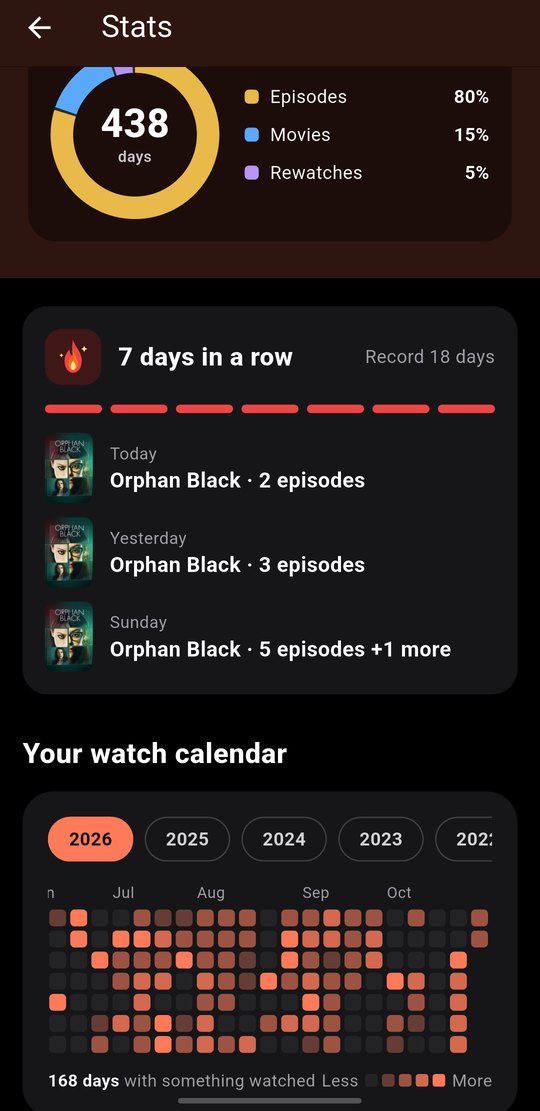
A streak flame that grows the longer you keep it going, from a Spark to a Blue fire and beyond, with a nudge at 8 pm when a streak of 3 days or more is at risk.
The watch calendar lights up every day you watched, year by year, all the way back through your history.
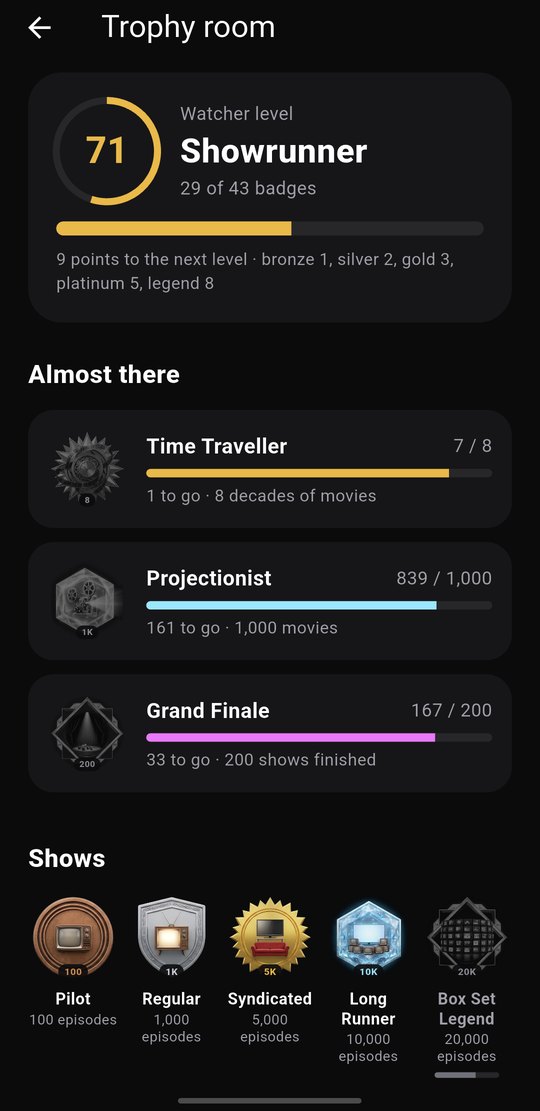
43 badges, from your first 100 episodes to 20,000, for movies, finished shows, rewatches, binges, streaks and more, in bronze, silver, gold, platinum and legend.
They add up to a watcher level, and the ones you are closest to wait under Almost there. Badges count everything you have already watched, so an imported history unlocks them at once.
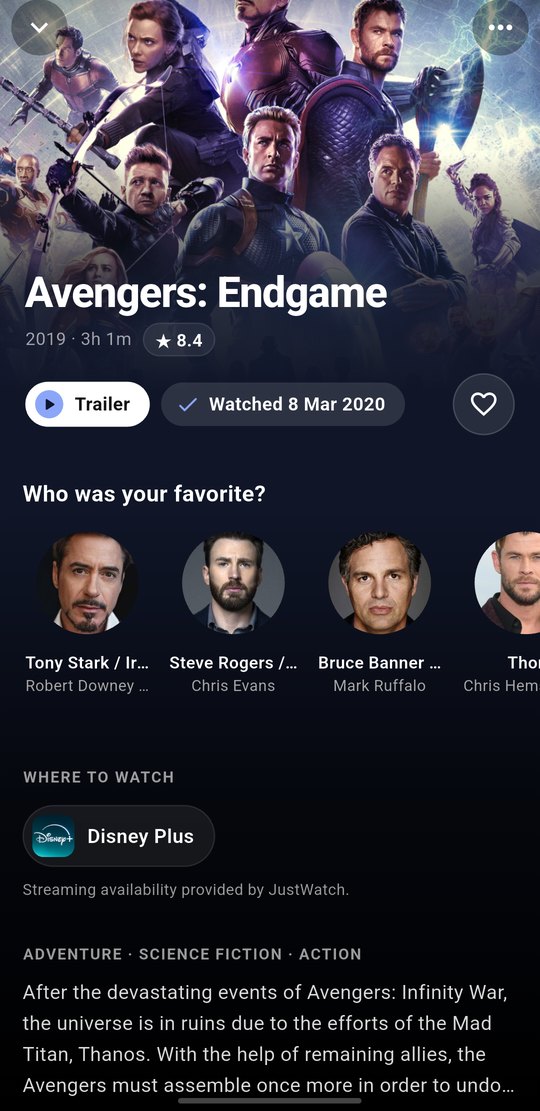
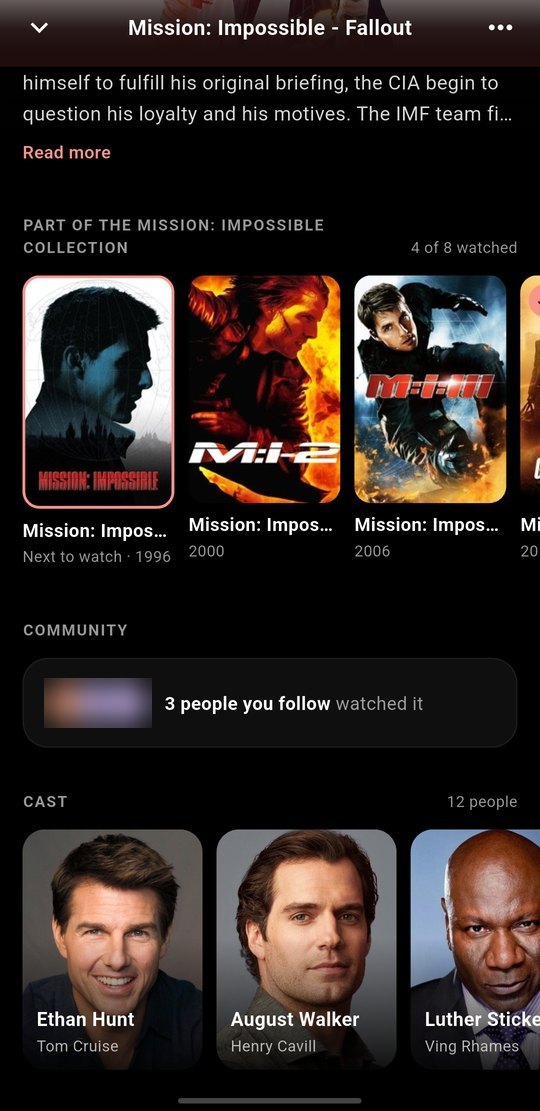
Mark a movie watched right from its page, pick your favorite character, and see the whole collection it belongs to: what you have seen, and the one to watch next.
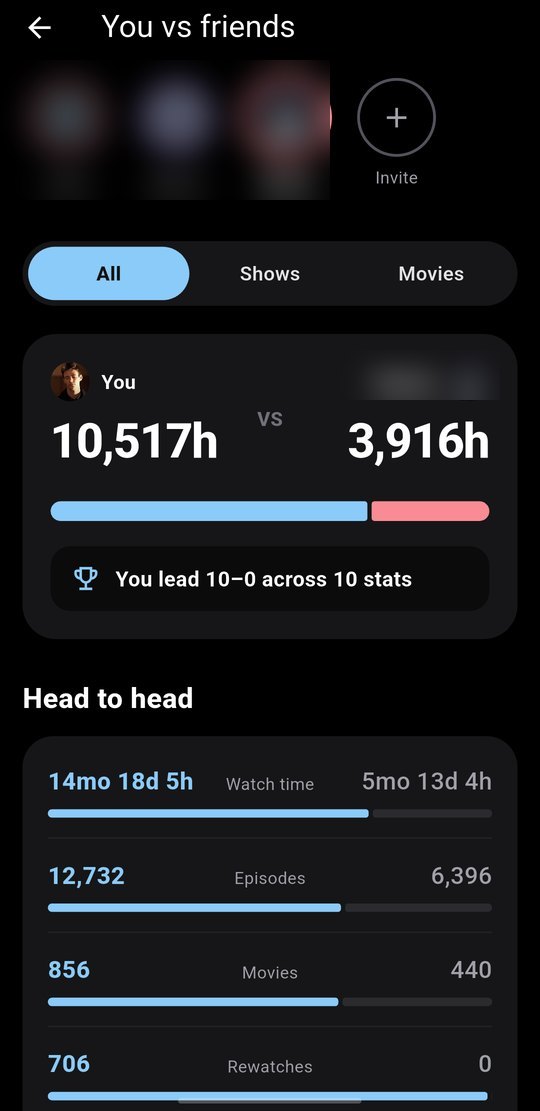
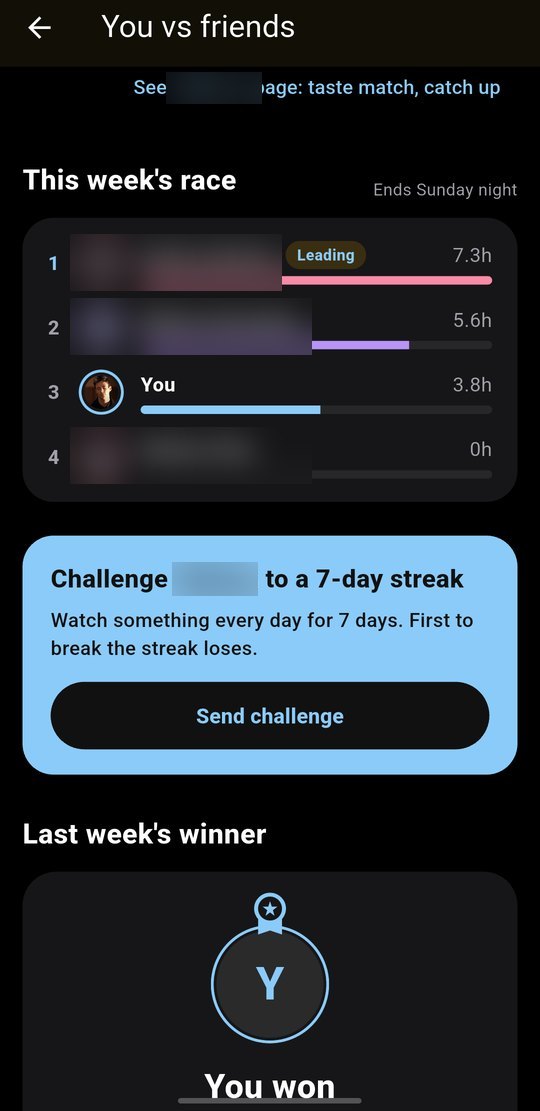
Follow friends by their @username and see who is really ahead: watch time, episodes, movies, rewatches, binges, streaks and badges, side by side.
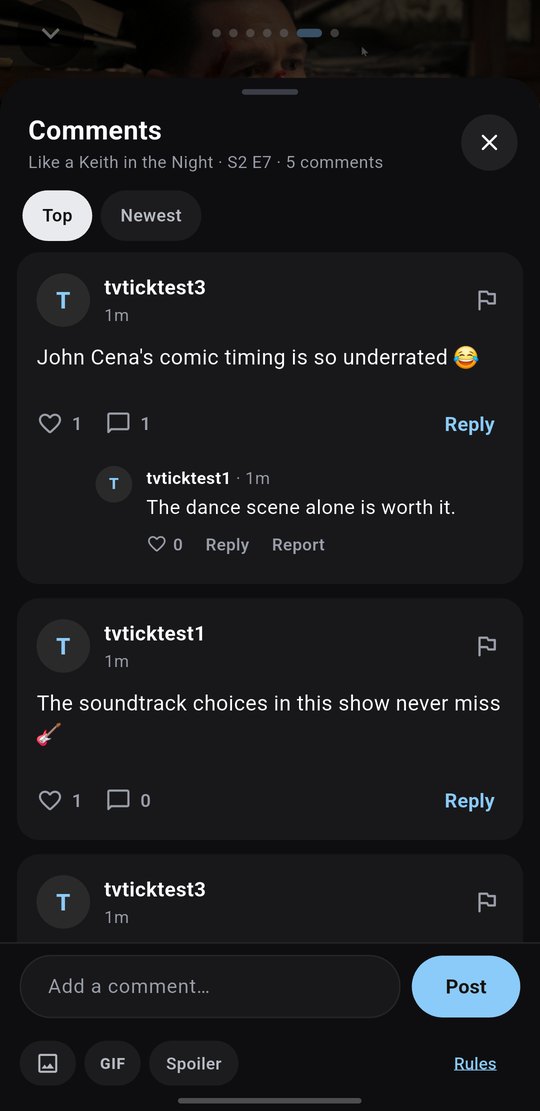
Every episode, show and movie has its own comments, with replies, hearts, pictures and GIFs.
Spoilers stay blurred until you have watched the episode, so you can read along without ruining the next one.
Saved your TV Time export before it closed? Bring it here, with a Trakt export too if you have one. TvTick merges them into one history and keeps the dates you watched and every rewatch. Your Letterboxd export comes too: films with their diary dates, half-star ratings, lists and reviews, and the shows you logged there.
And everything else
Quick to tick off, honest about what is next, and private when you want it.
Mark episodes and movies as watched with a tap, or pick the date. Favorites, ratings and rewatches included, plus how each episode felt and who was your favorite. Gather shows and movies in your own lists, like "Weekend binge", as many as you like, and put any of them on your profile. The picture of an episode you have not watched stays blurred until you tap it, so it gives nothing away (you can turn that off in Settings).
An Upcoming list for every show you follow, a quiet notification when a new episode drops, and a notification center that keeps it all: new episodes, follow requests, challenges, badges and your race results.
Import your TV Time, Trakt and Letterboxd exports, dates and rewatches included. How to import And take it with you: export everything as CSV and JSON any time. Export your data
Hours watched, this year against last year (month by month or every year), your genres, the streak flame, the watch calendar (open any day), the Trophy room (43 badges, counted from everything you have already watched, and a watcher level), your favorite characters, the franchises you follow and the weekly race, free. Night owl, most watched, records and the deeper movie stats (directors and actors among them) come with Premium.
Not a fan of a show's poster? Pick another poster and backdrop. Friends see your choice on your profile, and you choose your profile's header too, plus any colour you like for the app and its icon on your home screen. A Premium feature.
Upcoming movie releases with a countdown, a flag on sequels to films you have already watched, and every film of a collection with the next one to watch.
Can't decide? Pick by genre, years and your streaming services and get one suggestion at a time. Or describe what you are in the mood for: one a month free, as many as you like with Premium.
Comments under every episode, show and movie, with replies, hearts, pictures and GIFs. Spoilers stay blurred until you have watched the episode or movie.
Watching on a laptop? The TvTick browser extension for Chrome and Edge ticks each Netflix episode once you have really watched it, with Undo right on the page and on your phone. Prime Video, Disney+ and HBO Max work too, in beta. Run Plex or Jellyfin at home? Connect it once and the episodes and movies you finish on it are ticked, on any TV or phone. A Premium feature.
Your next episodes and the ones airing soon, right on your Android home screen, with the wallpaper showing through.
No ads, no tracking tools. Make your profile private, and delete your account whenever you like.
See it in action
Dark, quick and built around the thing you do most: tick an episode and move on.
How it works
It takes a minute to set up. After that, TvTick is a tap per episode.
Search for what you watch, or import your history from TV Time, Trakt or Letterboxd.
One tap marks an episode. Catch up on a whole season in a moment.
Your watch list sorts itself, and Upcoming tells you the day the next episode lands.
Questions
Yes. Tracking, the watch list, your own lists, new-episode alerts, widgets, rewatches, stats, imports, exporting your data, comments, Wrapped and the social features are free, with no ads. TvTick Premium is an optional subscription that adds unlimited recaps (free accounts get one a month), "describe it" searches in What to watch now? (one free a month), deeper stats, new-episode alerts at a time you pick, auto-tick from the browser extension, and your own app colour, icon, posters and profile header.
Android: get it on the Play Store. An iPhone version comes later. On a computer (or any phone), use TvTick in your browser with the same account: your shows, ticks, stats and friends are all there. New-episode alerts, widgets and buying Premium are in the Android app.
Yes. TvTick reads a TV Time data export, a Trakt export, or both together, and keeps your dates and rewatches. From TV Time it can also post the comments you wrote there, if you choose. It also reads a Letterboxd export: your films with their diary dates, ratings (half stars too), watchlist, liked films, lists and, if you keep it on, your reviews, plus the shows and episodes you logged there. The steps are in the import guide. Coming from TV Time since it closed? See bringing your TV Time history.
Yes, any time and free. Settings, Export my data (or the export page) gives you a ZIP with every episode you watched and when, rewatches, movies, lists, ratings, comments and badges, as spreadsheet-ready CSV files and one JSON file. Shows and movies carry their TMDB, TVDB and IMDb ids so other apps can read it.
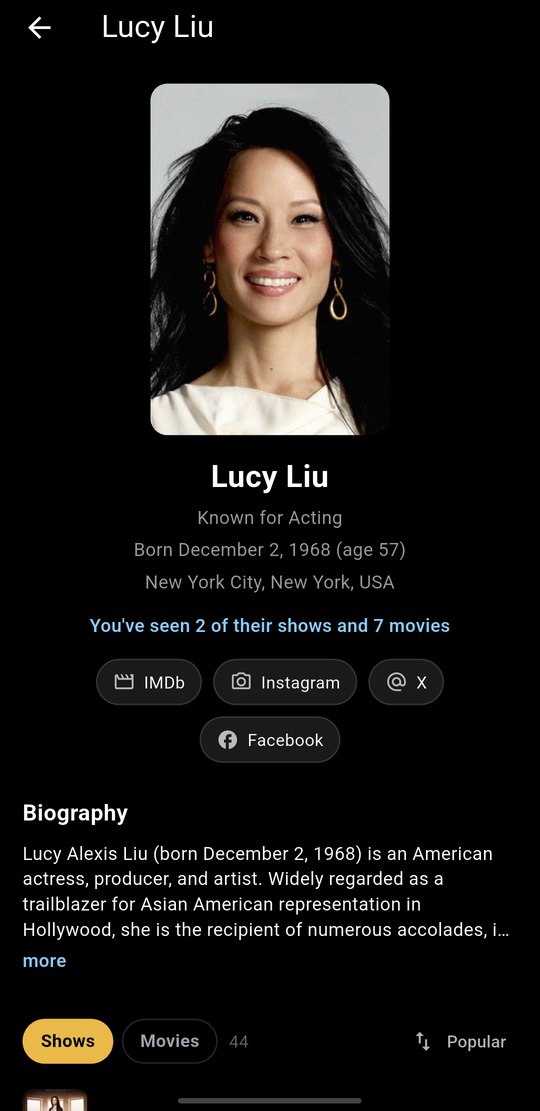
Your year in TV, from December 1 each year: your hours, top shows, biggest binge, when you watch, the actors you saw most, your favorite characters and the kind of watcher you are, as a story you tap through. Share any slide, or one card with all of it. It is free, and it counts from January 1 to the day you open it.
No. A recap only covers what you have already watched, and stops at your last episode.
Public profiles can be followed and compared. If you make your profile private, people need your approval first, and you can block anyone. Comments you post are seen by everyone who opens the comments of that episode, show or movie.
Yes, on a computer. The TvTick browser extension for Chrome and Edge ticks an episode once 90% of it has really played (or at the end credits), and shows a notice with Undo; your phone gets one notification per show. Link it with a code from the app (Settings, Watching, Auto-tick). Prime Video, Disney+ and HBO Max work too, in beta. It is a Premium feature, it is on its way to the Chrome Web Store, and it only reads what plays on those services: see what it sends.
Yes. In the app go to Settings, Watching, Auto-tick. Jellyfin: tap Connect Jellyfin and type your server’s address. The first person to connect a server gets one link for its admin to add to Jellyfin’s free Webhook plugin, once, for everyone on it. After that, each person connects with a Quick Connect code they approve in their own Jellyfin app, so only their own plays are ticked on their account. Plex: tap Connect Plex and paste the private link into Plex’s Webhooks setting (it needs Plex Pass on the server owner’s account), then pick which person on the server you are. An episode or movie counts once it has played to the end (90% on both), on any app that plays from your server. It is a Premium feature: see what your server sends.
Your watch list, your upcoming list, your library and the shows and movies you have opened are kept on your phone, so they still open offline. Episodes you mark offline are saved as soon as you are back online. Finding new shows needs a connection.
Your account, the shows and movies you track, your social settings and the comments you post. No advertising and no analytics tools. The privacy policy lists all of it.
In the app: Settings, Delete account. Without the app: use the delete page. Your data is removed after 30 days, and you can cancel by signing in before then.
TMDB, TVmaze and OMDb (for IMDb ratings). Streaming availability comes through TMDB from JustWatch. When you import from TV Time, episodes are matched with TheTVDB.
Free, with no ads. New-episode alerts, widgets, rewatches and exporting your data included.
TvTick is made by Zelalem Argaw. Sign in with your email or with Google. Read what is kept in the privacy policy, or delete your account at any time.
 One historyin TvTick